 GetUp
GetUpThe alarm you
can't snooze
It keeps ringing until you do 20 push‑ups, solve the math or snap a photo of your sink
No snooze button, no swiping it away


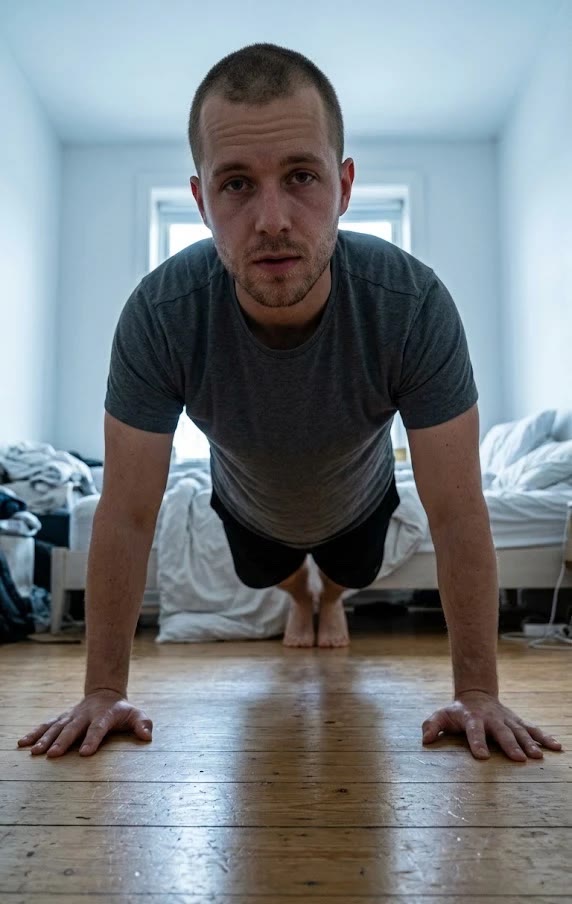
You're up
20 push-ups done
Woke at 6:31 AM"Awesome looking and smooth"
Real reviews from people who stopped snoozing with GetUp
How GetUp works
From alarm to out of bed in 5 steps
See every screen
Straight from the App Store
9 missions to get you out of bed
Pick the one you can't do lying down
Snoozing is not an option
Every way out of the mission is closed
Swipe it away
It rings again and keeps coming back until the mission is done
Close the app
You land right back on your mission
Real emergencies
There's a skip you have to hold down, for the mornings you truly can't
Your camera stays private
Push-ups are counted on your phone, nothing is recorded or uploaded
Start free
Upgrade when one alarm isn't enough
Free
- 1 alarm
- All 9 missions
- Streaks and badges
- Bedtime lock for 1 app
Pro
- As many alarms as you need
- Loud sounds made for deep sleepers
- Bedtime lock for every app
FAQ
Everything you need to know about GetUp
What is GetUp and how does it work?
GetUp is an alarm clock that won't stop ringing until you finish a mission you pick the night before
When it rings, you do push-ups counted by your camera, solve math, type a line, take a photo of something like your sink or shake your phone 30 times
By the time it stops, you're out of bed
What missions are available?
Push-ups, squats, sit-ups, jumping jacks, a plank, math, typing, a photo and shake
For the exercise missions you choose how many reps
Can I really not snooze the alarm?
No, that's the point
Swipe it away and it rings again, close the app and you land back on your mission
What if I really can't do it?
Tap Can't do it right now? and hold to skip
It's there for real emergencies
Does the camera record me?
No, push-ups are counted on your phone in real time
Nothing is recorded, saved or uploaded
Is GetUp free to try?
Yes, 1 alarm with every mission is free
Pro adds unlimited alarms, loud sounds and the full bedtime lock
What devices support GetUp?
iPhone through the App Store and Android phones through Google Play
From the blog
Practical help for better mornings
The Best Alarm Setup for Heavy Sleepers
Sleep through every alarm? Here's a step-by-step setup for heavy sleepers, from phone settings that silently block alarms to sounds and missions that actually get you up.
Read the article October 15, 2026How to Stop Hitting Snooze (Without Hating Your Mornings)
Most people snooze, and it isn't always bad for you. Here's when it becomes a problem and seven practical ways to get up on the first alarm instead.
Read the article October 15, 2026Why a Push-Up Alarm Gets You Out of Bed
Can doing push-ups to turn off your alarm really help you wake up? What the research says about morning grogginess, movement and alertness, and why it works in practice.
Read the articleStop snoozing
start tomorrow
Download GetUp and set your first alarm in 30 seconds